


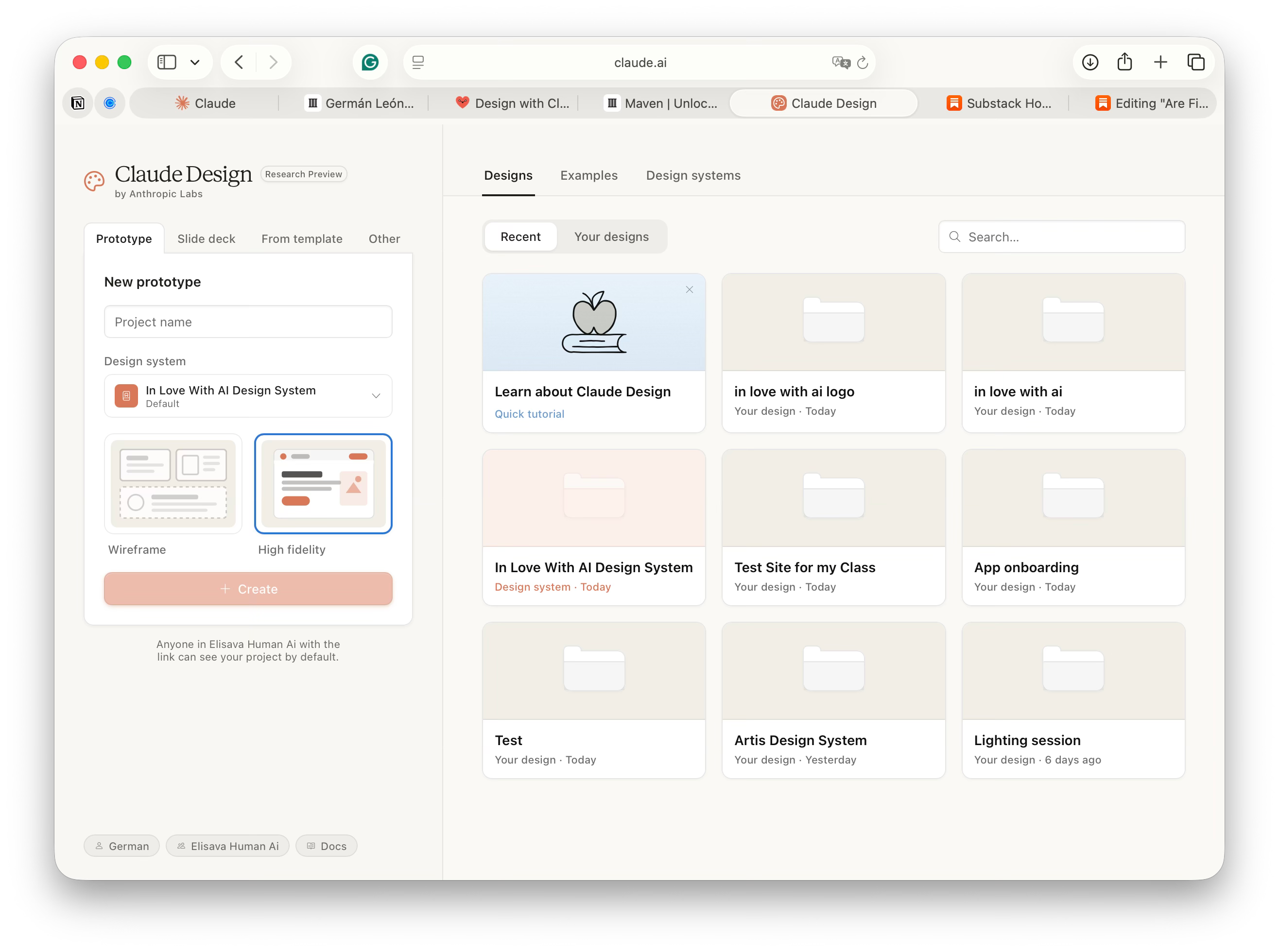
Three weeks ago, I taught my first Claude Design class and asked the room: “How many of you still think of design as something you need Figma for?” One hand went up. Everyone else was already thinking about Claude. Not because Figma is bad—it’s actually brilliant at what it does. But because Claude Design does something Figma was never designed to do: make design frictionless for people who code.
And that’s a much bigger market than anyone realized.
Why People Are Asking This Question Now
For the last decade, the design tool hierarchy was simple:
Professionals: Figma (the gold standard)
Non-designers: Canva (the 10-minute poster maker)
Everyone else: Gave up and hired a designer
Claude Design breaks that hierarchy. It doesn’t compete with Figma on design features. It competes with Figma on speed and integration. And it wins.
Here’s what changed: Claude went from being “that chatbot that writes essays” to being an actual development environment. And once you realize Claude is now the center of your development stack—Cursor, Claude API, Claude Design, Claude Projects—everything else starts to feel like friction.
What Claude Design Actually Is (And Isn’t)
Let me be precise here, because this matters.
Claude Design generates real, functional HTML/CSS/JavaScript. Not vector files. Not editable layers. Not Figma components. Actual code.
You describe a design in plain language. Claude renders it as a working website or app. You can export it as:
SVG (to Illustrator, Figma, Inkscape)
HTML/CSS/JS (to a browser, VS Code, CodePen)
React + Tailwind (to Lovable, v0, your own codebase)
Figma Tokens JSON (to Figma for brand consistency)
Lovable bundle (straight to a deployed app)
Framer (for interactive prototypes)
That last part—deployed apps—is the thing Figma could never do. Figma gets you 80% of the way to a design. Claude Design gets you 80% of the way to a product.
What Claude Design can do:
Generate full design systems from a single prompt
Produce 15+ output types (logos, wireframes, landing pages, mobile apps, dashboards, pitch decks, emails, brand identity, component libraries, user flows, animated UI, data visualizations, forms, and more)
Iterate in real-time with natural language (no clicking through menus)
Export to your existing workflows (Figma, React, Illustrator, Lovable)
Maintain consistency across deliverables through design tokens
Build responsive layouts that work on 375px mobile to 2560px desktop in one prompt
Generate every state of a component (default, hover, active, disabled, loading) in one go
What Claude Design cannot do:
Replace Figma for team collaboration (no persistent design file, no version history, no commenting)
Handle complex micro-interactions that require manual animation code
Manage design tokens across 500+ components like a design system tool
Do pixel-perfect layout work (it’s intentionally high-level)
Work with 200MB design files of existing brand assets
Replace Canva for drag-and-drop simplicity (you need to be comfortable describing design in words)
Give you a persistent, shareable design file in the cloud
Handle real-time co-editing with 5 designers on the same project
The honest take: Claude Design is a design workflow accelerator, not a design tool replacement. It’s to Figma what Cursor is to VS Code—faster iteration, AI-native, built for the way developers actually work. But it’s missing the persistence, collaboration, and polish that make Figma indispensable for design teams.
Why Claude Is Becoming a Development Powerhouse (And Why It Matters)
Six months ago, OpenAI launched GPT-4o, and the developer world collectively yawned. “It’s a faster ChatGPT, nice.”
In that same period, Anthropic has been quietly building something different. Not a chatbot. A development environment.
Claude’s stack in 2025:
Claude API — The reasoning engine (better at complex logic than o1)
Cursor — The IDE that makes you 2x faster at coding
Claude Design — The design environment (HTML/CSS/JS native)
Claude Projects — Context management (your team’s knowledge base in one place)
Claude Extensions — Integrations with your tools
MCP (Model Context Protocol) — Connect any tool, any data source
This is a full-stack development platform. Built around actual developer workflows. Not “here’s a chatbot, now figure out how to use it.” But “here’s your entire stack, native to Claude.”
The math is simple: if you’re already using Claude for code review, API design, backend logic, and documentation, adding Claude Design means you don’t leave Claude’s ecosystem to design. You never context-switch. You never lose momentum.
OpenAI is optimizing for “what’s the next clever use case for language models?” Anthropic is optimizing for “what’s the full stack a developer actually uses?”
That’s the difference between a tool and a platform.
Why Figma Isn’t Dead (Yet)
Figma is still the irreplaceable tool for three reasons:
Collaboration — Multiple designers on one file, in real-time, with commenting and version history. Claude Design has none of this. If your team of 6 designers needs to work together, Figma is still the only choice.
Persistence and handoff — Your design lives in Figma. It’s version-controlled. Developers can reference it. You can hand it off to another designer 6 months later, and they understand the system. Claude Design is session-based. No persistent file. Once your session ends, you’ve got to start over or export early and manage versions yourself.
Advanced micro-interactions and polish — Figma’s animation tools, easing curves, and component interactions are sophisticated. Claude Design can generate code that theoretically animates, but it’s not the same as designing motion in a tool built for it.
Where Figma feels friction right now:
Context switching. Design in Figma, export code, paste in VS Code, debug mismatch. Claude Design closes that gap.
Speed. Design system changes in Figma take 10 clicks. In Claude: “Update the primary color across the entire system to #E74C3C and regenerate all components.” Done.
Iteration velocity. Figma is built for precision. Claude is built for speed. For early-stage products, speed wins.
The likely future: Figma and Claude Design coexist. Senior designers use Figma for final pixel-perfect polish and handing off to teams. Founders, solo designers, and developers use Claude Design to go from idea to Figma-ready asset in 5 minutes.
Why Canva Is Actually In Trouble
Canva’s moat was always “make design accessible to non-designers.”
Claude Design does that better.
A non-designer can’t use Figma at all. They can describe what they want in English, and Claude Design will build it. For social media assets, one-pagers, pitch decks, brand kits, and everything else Canva does, Claude is now the faster option.
The only advantage Canva has left is network effects (templates, design communities) and simplicity (drag and drop is still easier than writing prompts). But templates can be replicated. And simplicity loses to speed when you’re in a hurry.
Canva’s growth is stalling. It won’t disappear—there’s still a market for “I just need a pretty graphic in 2 minutes.” But that market is shrinking.
The Real Question Isn’t “Is Figma Dead?”
The real question is: “What is your actual workflow?”
If you’re a design team building a complex product: Figma. For another 3-5 years, minimum.
If you’re a solo designer or founder, shipping fast: Claude Design. Then hand it to Figma later if you need polish.
If you’re a developer who used to hire designers, Claude Design just made you dangerous. You can ship UI that would have taken a week to ask for.
If you’re a non-designer making social media graphics, Claude Design is now faster than Canva.
If you’re a product manager needing quick mockups, Claude Design is probably your new tool.
The future isn’t “everyone uses Claude Design.” It’s “Claude Design becomes the first tool, Figma becomes the last tool.” Sketch, Illustrator, Adobe XD—these all exist in parallel. Claude Design will too.
But the baseline expectation will shift. Soon, if you say, “I need a designer to build this landing page,” people will ask, “Did you try Claude Design first?” The same way they ask “Did you try Cursor?” before hiring a programmer.
Why This Matters Right Now
Claude Design isn’t competing with Figma on design. It’s competing with the entire workflow of design->code->deploy.
A year ago: Describe a design → hire a designer → get a Figma file → export → developer rebuilds in code → bugs → iterate.
Today: Describe a design in Claude → export → deploy.
It’s not about Claude Design vs. Figma. It’s about Claude Design reducing the friction so much that the previous workflow feels archaic.
And that shift is accelerating. Every month, Claude gets better at understanding design intent. Every month, more developers realize they don’t need to leave Claude’s ecosystem to ship UI. Every month, Figma’s integration story gets better (they’re aware of what’s happening), but the momentum is shifting.
If You Want to Stay Ahead
The designers and developers who will thrive in the next 18 months aren’t the ones waiting to see if Figma survives. They’re the ones learning to think in Claude’s design paradigm now.
How do you prompt for a design system that doesn’t waste token space? How do you iterate from HTML to a polished product? How do you integrate Claude Design into your actual deployment pipeline? How do you manage design consistency across outputs without a persistent design file?
These are new skills. And like most new skills in tech, the people who learn them early have an outsized advantage.
The people who learned CSS-in-JS early didn’t get rich. But they became indispensable. The people who learned React in 2014 didn’t predict the future—they just kept up with it and built more interesting things.
This is the same moment.
The Bottom Line
Figma isn’t dead. But its moat is eroding faster than anyone expected.
Claude Design won’t kill Figma. But it will eat Figma’s lunch in the parts of design that matter to developers: speed, integration, and deployment.
In 18 months, the question won’t be “Is Figma dead?” It’ll be “Why would I design in Figma first when I could iterate in Claude?”
And that shift is already happening.
German Dario León Osorio
In Love With AI
P.S. If this resonates, you’re probably the type of person who’s interested in how to build products faster using AI. Whether you’re a designer, developer, or PM, the tools are changing. The workflows are changing. If you want to stay ahead of that curve, it helps to learn from people who are already building with these tools day-to-day. That’s what I focus on.